
Firefly
Loading artwork…

What this changes

Growtopia stays installed.

Connector runs beside the official game. Android may show a VPN permission prompt and a key or VPN icon while it is connected.

Method
Firefly Connector
Root
Not required
Keep open
Connector in the background
Guide updated
July 2026

Recommended method

Firefly Connector

Use this method if you want to keep the official Growtopia app on your phone.

  1. Download the Connector APK

    Tap the download above. Android may warn that APK files can install apps; continue only if the file came from this Firefly website.

  2. Allow this one installation

    If Android blocks the file, open the “Install unknown apps” prompt for the browser or file manager you used, allow it temporarily, then install the APK.

  3. Revoke the temporary install permission

    After installation, return to the same Android permission screen and turn “Allow from this source” off again.

  4. Open Firefly Connector

    Tap Connect. Accept Android’s VPN connection prompt if it appears. Connector routes Growtopia traffic; it does not require root access.

  5. Leave Connector running

    Return to the home screen without force-closing it. If your phone stops background apps aggressively, allow Connector to run in the background.

  6. Open official Growtopia

    Launch the Growtopia app you already use and sign in normally.
Finish and undo

Check the connection.

You are connected when

Connector still shows an active connection and Growtopia opens the Firefly server instead of the official server.

To disconnect

Return to Firefly Connector and tap its stop or disconnect control. You can also stop the VPN from Android’s VPN settings.

Other method: install the full Firefly APK

Full client

Replace official Growtopia.

The Firefly APK uses the same app identity as Growtopia. Android cannot keep both installed at the same time.

Before continuing: uninstall official Growtopia. Use this method only if you are comfortable replacing the app on this device.
  1. Uninstall official Growtopia

    Remove the official app before opening the Firefly installer.

  2. Install the current Firefly APK

    Use the current build first. Try the old build only if the current APK cannot install on your device.

  3. Open Firefly

    Launch the installed app and sign in. To return to official Growtopia later, uninstall Firefly and reinstall Growtopia from its official store.

Other method: PowerTunnel or Virtual Hosts

Advanced routing

Use the Firefly hosts list.

This method keeps official Growtopia installed but runs a hosts-routing app while you play.

PowerTunnel hosts URL:

https://ffps.fun/download/firefly
  1. Install one routing app

    Use PowerTunnel or Virtual Hosts. Do not run both at the same time.

  2. Add the Firefly hosts source

    In PowerTunnel, paste the visible URL above into its hosts settings. In Virtual Hosts, import firefly.txt.

  3. Set updates to On Start

    For PowerTunnel, change the hosts update interval to On Start so the latest lines load when the app starts.

  4. Start the VPN and open Growtopia

    Approve Android’s VPN prompt, keep the routing app running, then launch official Growtopia.

Troubleshooting

If Growtopia still opens the official server.

  • Confirm the Connector or hosts-routing VPN is still active before opening Growtopia.
  • Stop the connection, start it again, then fully close and reopen Growtopia.
  • If Android stops Connector in the background, allow background activity for the app.
  • Do not enter your Growtopia password into Connector, PowerTunnel, Virtual Hosts, or this website.
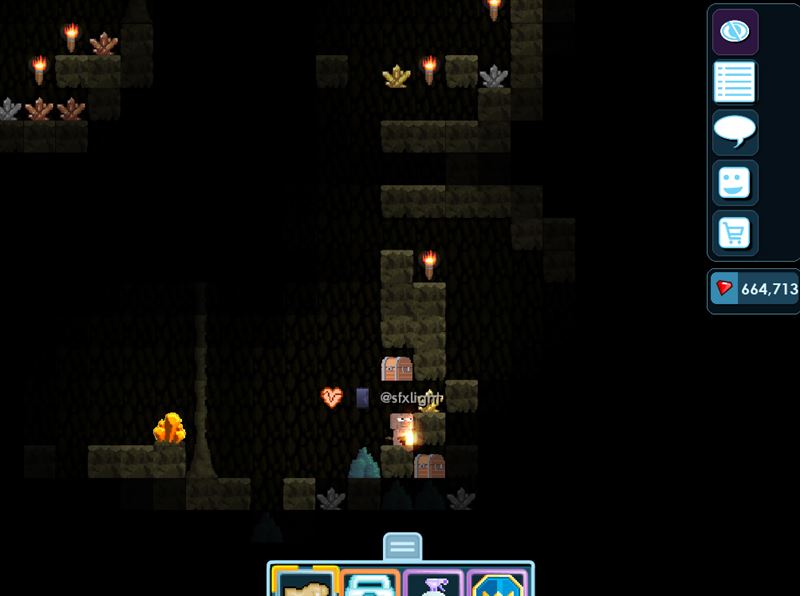
Player inside a Firefly Growtopia world

After setup

Open Growtopia and look for Firefly.

This is an in-game preview, not an Android setup screenshot. If Growtopia opens the Firefly server while Connector or your routing method is active, the setup worked.

Stuck on a step?

Send your Android version, chosen method, and the step where you stopped. Never post a password.

Back to all platform guides
Ask on Discord

Installation guides

Where do you play?

Pick the device that runs Growtopia. The full guide opens next.

AndroidFirefly ConnectorNo root required WindowsHosts fileAdministrator access iPhone and iPadSurge 5 profileiOS 16 or later macOSTerminal hosts fileAdministrator password